Symptom: Authentication dialog keeps reappearing after you click .
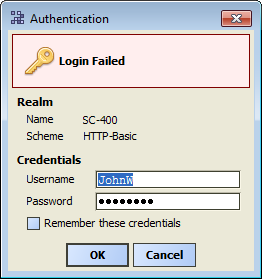
Cause: Typically, using the default platform “Basic authentication”, your entered username and password do not match a local user who is a member of the local Windows machine’s Administrators group.
To fix: Confirm Windows administrator privileges for the PC, then re-enter your Windows credentials.
Symptom: Nothing happens for a few seconds, and “Cannot display page” appears in the view. Text “Cannot connect. Ensure server is running on specified port” displays.
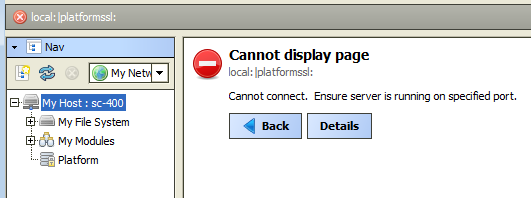
Cause: The Niagara Platform Daemon (service) is not running on your PC. This occurs if in the last NiagaraAX installation step, you unchecked “Install and Start Platform Daemon”. The platform daemon (service) is needed for local platform/station operations.
To fix: Install the platform daemon and retry connection (next).
-
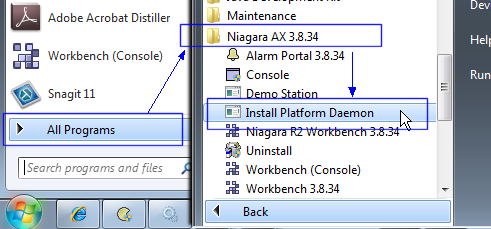
From the Windows Start menu, select:
->->->
-
In Workbench, retry “Open Platform” to your host (See Step 2 in Get the Demo Up and Running).