Symptom: Workbench starts up without the left-side tree (Nav tree in side bar area), showing only a single pane with view. This occurs if Workbench was last used with side bars “not shown.”
To fix this, from the menu bar, select ->->
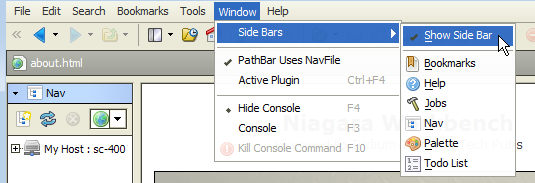
It is also possible that the side bar area is visible, but the Nav tree does not show. In this case, select ->->
 From the menu, additional items are selectable to see in the left pane (sidebar).